Create Airline Team
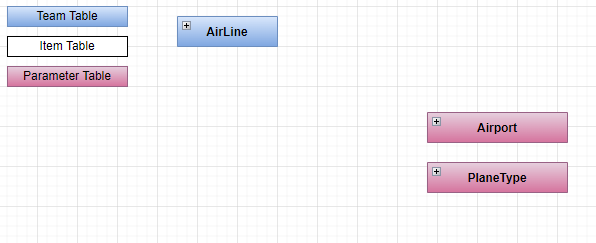
Create the Model
- In '...\MyFirstProject\DotNet\MyCompany.MyFirstProject.Domain' create
Airlinefolder, then create a folderEntitiesinto it. Use the parent's domain existing module folder if exists. - Create empty class
Airline.csand add following:
Airline.cs
// <copyright file="Airline.cs" company="MyCompany">
// Copyright (c) MyCompany. All rights reserved.
// </copyright>

namespace MyCompany.MyFirstProject.Domain.Airline.Entities
{
    using System.ComponentModel.DataAnnotations;
    using System.ComponentModel.DataAnnotations.Schema;
    using Audit.EntityFramework;
    using BIA.Net.Core.Common.Attributes;
    using BIA.Net.Core.Common.Enum;
    using BIA.Net.Core.Domain.User.Entities;
    using MyCompany.MyFirstProject.Domain.User.Entities;

    /// <summary>
    /// The airline entity.
    /// </summary>
    public class Airline : BaseEntityTeam
    {
        /// <summary>
        /// Gets or sets the Id.
        /// </summary>
        public int Id { get; set; }

        /// <summary>
        /// Gets or sets the airline name.
        /// </summary>
        public string AirlineName { get; set; }

        /// <summary>
        /// Add row version timestamp in table Airline.
        /// </summary>
        [BiaRowVersionProperty(DbProvider.SqlServer)]
        [AuditIgnore]
        public byte[] RowVersionAirline { get; set; }

        /// <summary>
        /// Add row version for Postgre in table Airline.
        /// </summary>
        [BiaRowVersionProperty(DbProvider.PostGreSql)]
        [AuditIgnore]
        public uint RowVersionXminAirline { get; set; }
    }
}
- In case of children team, ensure to have logical links between the parent and child entities.
Make sure to inherit from Team and expose :
- a
byte[]row version property with attributeBiaRowVersionPropertyfor providerSqlServer - a
uintrow version property with attributeBiaRowVersionPropertyfor providerPostGreSql
Update Data
Create the ModelBuilder
- In folder
ModelBuilders, create classAirlineModelBuilder.csor use parent's model builder, and add :
AirlineModelBuilder.cs
namespace MyCompany.MyFirstProject.Infrastructure.Data.ModelBuilders
{
    using Microsoft.EntityFrameworkCore;
    using MyCompany.MyFirstProject.Domain.Airline.Entities;

    /// <summary>
    /// Class used to update the model builder for Airline domain.
    /// </summary>
    public static class AirlineModelBuilder
    {
        /// <summary>
        /// Create the model for projects.
        /// </summary>
        /// <param name="modelBuilder">The model builder.</param>
        public static void CreateModel(ModelBuilder modelBuilder)
        {
            CreateAirlineModel(modelBuilder);
        }

        /// <summary>
        /// Create the model for airlines.
        /// </summary>
        /// <param name="modelBuilder">The model builder.</param>
        private static void CreateAirlineModel(ModelBuilder modelBuilder)
        {
            // Use ToTable() to create the inherited relation with Team in database
            modelBuilder.Entity<Airline>().ToTable("Airlines");
        }
    }
}
- If added to existing parent's model builder, add only the method
CreateAirlineModeland make a call inside theCreateModelmethod.
Update DataContext
- Go in '...\MyFirstProject\DotNet\MyCompany.MyFirstProject.Infrastructure.Data' folder.
- Open
DataContext.csand add your newDbSet<Airline>:
DataContext.cs
        /// <summary>
        /// Gets or sets the Airline DBSet.
        /// </summary>
        public DbSet<Airline> Airlines { get; set; }
- Also ensure to have a call to your model builder's method
CreateModel:
DataContext.cs
    public class DataContext : BiaDataContext
    {
        /// <inheritdoc cref="DbContext.OnModelCreating"/>
        protected override void OnModelCreating(ModelBuilder modelBuilder)
        {
            // Existing model builders

            AirlineModelBuilder.CreateModel(modelBuilder);
            this.OnEndModelCreating(modelBuilder);
        }
    }
- In case of children team, ensure to specify logical links between the parent and child entities.
Update the database
- In VSCode (folder MyFirstProject) press F1
- Click "Tasks: Run Tasks".
- Click "Database Add migration SqlServer" if you use SqlServer or "Database Add migration PostGreSql" if you use PostGerSql.
- Set the name "NewFeatureAirport" and press enter.
- Verify new file
xxx_NewFeatureAirport.csis created on '...\MyFirstProject\DotNet\MyCompany.MyFirstProject.Infrastructure.Data\Migrations' folder, and file is not empty.
Generate DTO
Using BIAToolKit
- Launch the BIAToolKit, go to the tab "Modify existing project".
- Set your parent project path, then select your project folder.
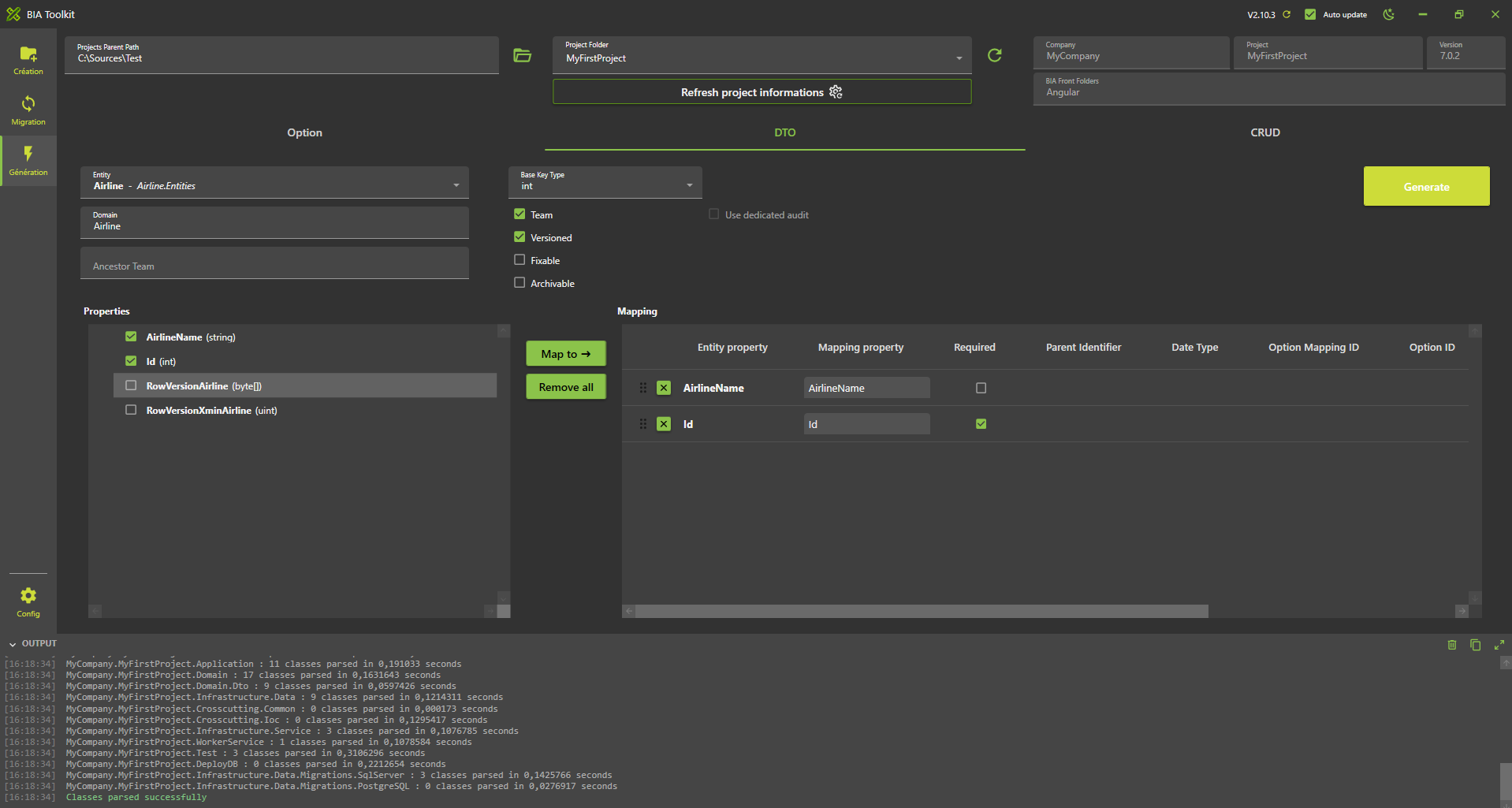
- Go to "DTO Generator" tab.
- Fill the form as following
- Then click on Generate button
Generate CRUD
Using BIAToolKit
- Launch the BIAToolKit, go to the tab "Modify existing project".
- Set your parent project path, then select your project folder.
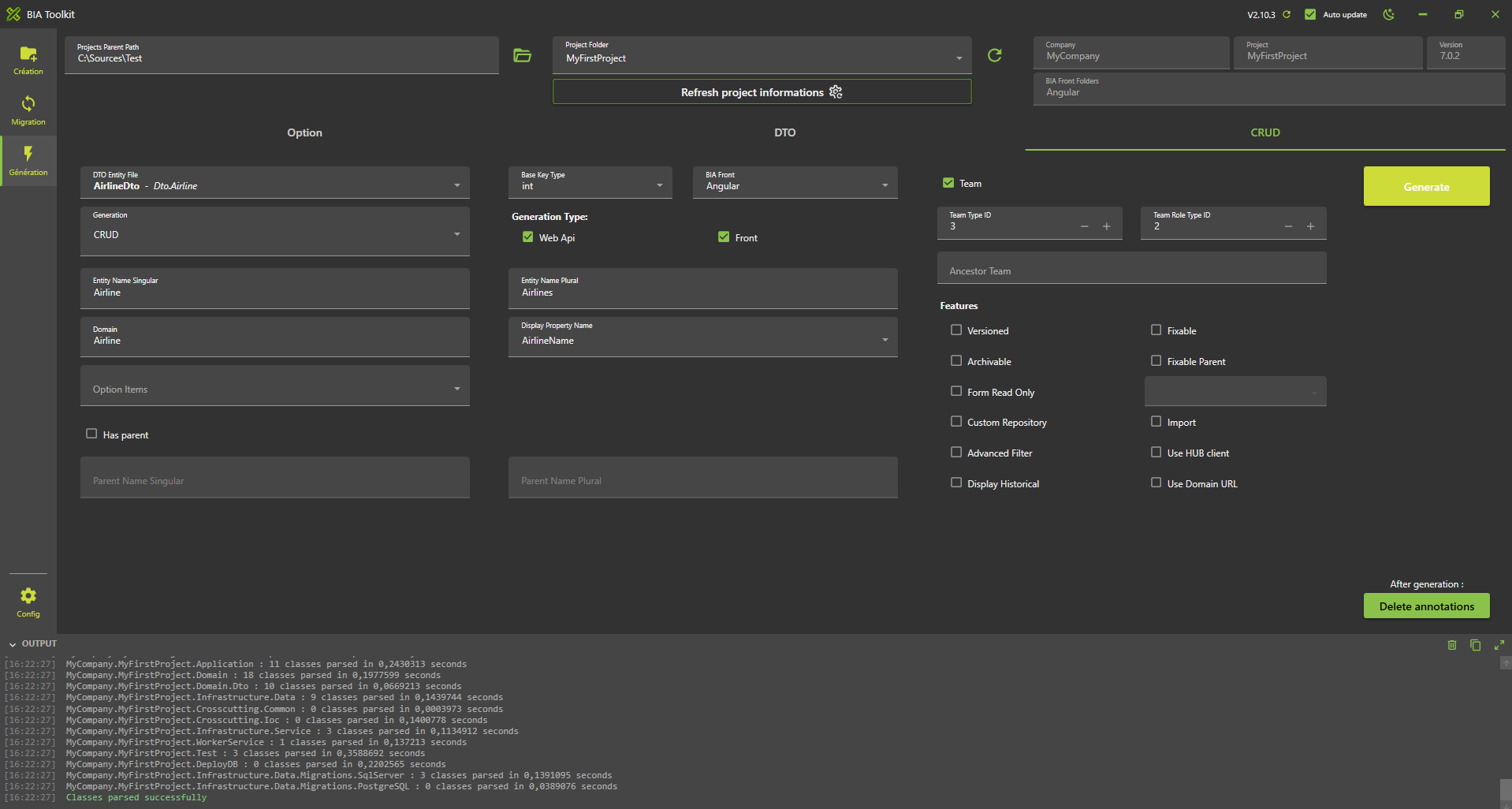
- Go to "CRUD Generator" tab.
- Fill the form as following
- If your Team inherits from parent, click on the "Has Parent" checkbox and complete the parent's name singular and plural.
- Then click on Generate button
Customize generated files
After the files are generated, there might be some errors. Follow the instructions to correct them if there are any.
Back
Open your DotNet project solution in '...\MyFirstProject\DotNet' and complete the following files.
TeamConfig.cs
Add the following line in the configuration of the Airline team :
DisplayInHeader = true
RoleId.cs
- Go in 'MyCompany.MyFirstProject.Crosscutting.Common\Enum' folder and open RoleId.cs file.
- Adapt the enum value of the generated value
AirlineAdmin. - In case of children team, review the
TeamLeadercreated value. Delete new generated value if already exists and in use by other teams.
TeamTypeId.cs
- Stay in 'MyCompany.MyFirstProject.Crosscutting.Common\Enum' folder and open
TeamTypeId.csfile. - Adapt the enum value of the generated value
Airline.
Front
Open your Angular project folder '...\MyFirstProject\Angular' and complete the following files.
constants.ts
- Go in 'src\app\shared' folder and open
constants.tsfile. - Go in
TeamTypeIdenum declaration. - Adapt the enum value of the generated value
Airline.
navigation.ts
- Stay in 'src\app\shared' folder and open
navigation.tsfile. - Adapt the path of the generated navigation for companies :
navigation.ts
    {
        labelKey: 'app.airlines',
        permissions: [Permission.Airline_List_Access],
        /// TODO after creation of CRUD Team Airline : adapt the path
        path: ['/airlines'],
      },
- In case of children team, you can move if needed the generated content into the children's array of parent
BiaNavigation:
navigation.ts
  {
    labelKey: 'app.companies',
    permissions: [Permission.Company_List_Access],
    path: ['/companies'],
    children: [
      /// BIAToolKit - Begin Partial Navigation CompanyMaintenance
      {
        labelKey: 'app.company-maintenances',
        permissions: [Permission.CompanyMaintenance_List_Access],
        /// TODO after creation of CRUD Team Company : adapt the path
        path: ['/company-maintenances'],
      },
      /// BIAToolKit - End Partial Navigation CompanyMaintenance
    ],
  },
model.ts
- Go in 'src\app\features\companies\model' or the children parent's path of the generated feature
airlinesand open theairline.tsfile. - Adapt the field configuration if needed.
- Remove all unused imports from the generated file.
Complete traductions
- Go in '...\MyFirstProject\Angular\src\assets\i18n\app'
- Complete each available language traduction JSON file with the correct values :
"app": {
    ...,
    "airlines": "Airlines"
  },
    ...,
"airline": {
    "add": "Add airline",
    "admins": "Administrators",
    "edit": "Edit airline",
    "listOf": "List of airlines",
    "title": "Title",
    "airlineName": "Identifier"
  }
- Open 'src/assets/i18n/app/es.json' and add:
"app": {
    ...,
    "airlines": "Aerolíneas"
  },
    ...,
"airline": {
    "add": "Añadir aerolínea",
    "admins": "Administradores",
    "edit": "Editar aerolínea",
    "listOf": "Lista de aerolíneas",
    "title": "Título",
    "airlineName": "Identificador"
  }
- Open 'src/assets/i18n/app/fr.json' and add:
"app": {
    ...,
    "airlines": "Compagnies aériennes"
  },
    ...,
"airline": {
    "add": "Ajouter compagnie aérienne",
    "admins": "Administrateurs",
    "edit": "Modifier compagnie aérienne",
    "listOf": "Liste des compagnies aériennes",
    "title": "Titre",
    "airlineName": "Identifiant"
  }
Test
- Run the DotNet solution.
- Launch
npm startin Angular folder. - Go to http://localhost:4200/
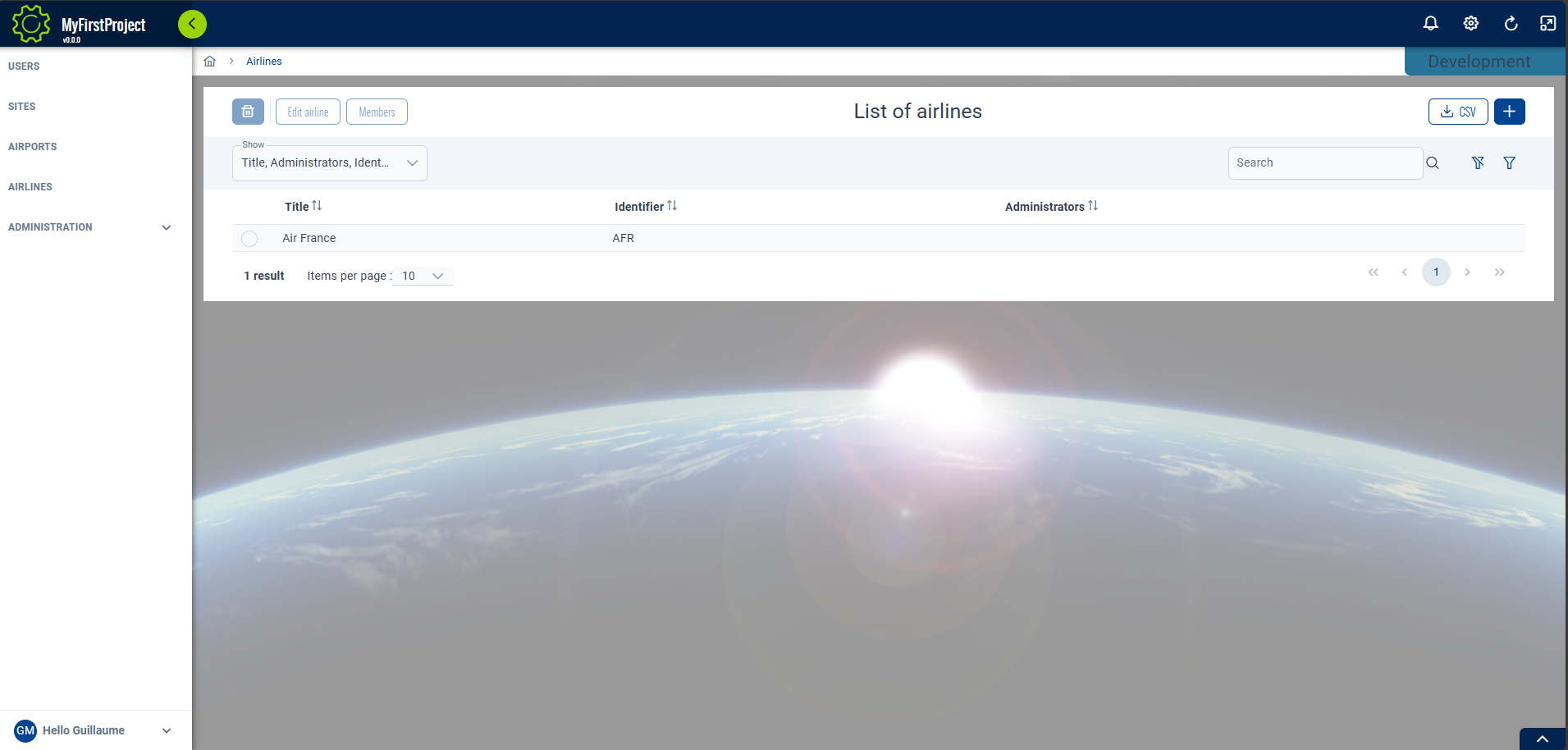
- Navigate to the airline team list.