Announcements
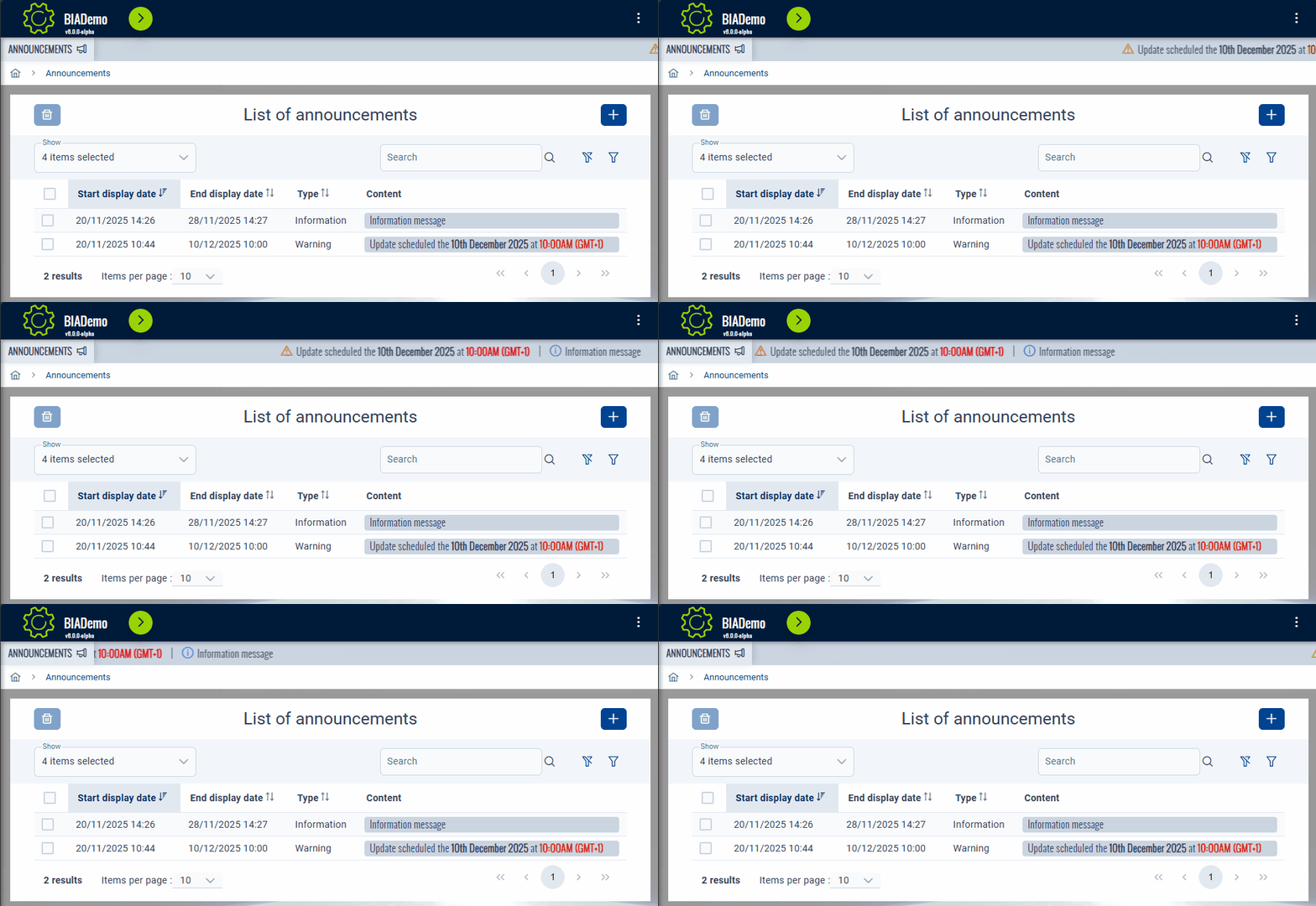
Display
Announcements banner will be visible only if at least one announcement has to be displayed.
If multiple announcements, they will be displayed by start display date.
info
The banner will automatically appears or disappears into the current page if announcements has to be displayed or not.
The framework will automatically check every minutes the active announcements.
Administration
Access
You can access to the announcements management interface from the Administration menu :

info
By default, only administrators have access to the announcements management interface
Manage
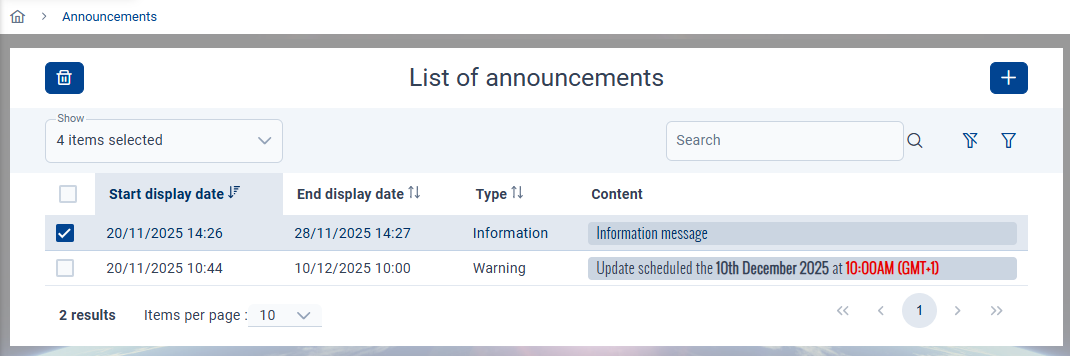
Manage the announcements from this table :
info
- Delete : select one or multiple announcements, then click the bin button on the top left
- Add : click on the add button on the top right
- Edit : click anywhere into an existing announcement row from the table
- Search
- Global : search into all the fields by using the dedicated input
Search - Specific : click on the filter button on the right at the top of the table to open the search interface for all fields
- Global : search into all the fields by using the dedicated input
Creation/edition
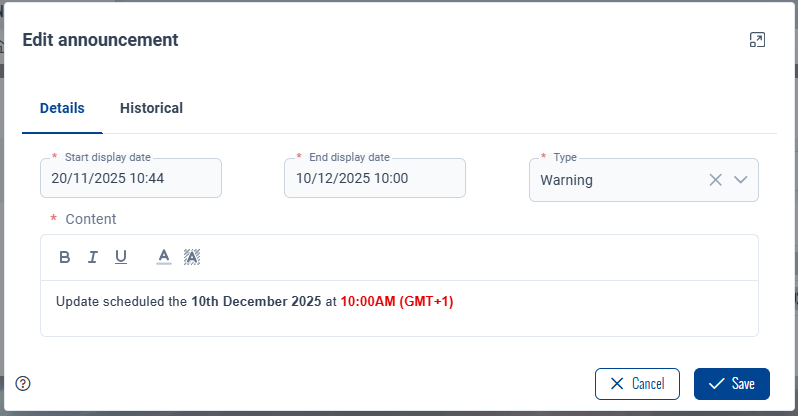
The following interface will be displayed when creating or editing an announcement :
info
- Start diplay date : the date and time the announcement will begin (local time)
- End display date : the date and time the announcement will stop (local time)
- Type :
WarningorInformation(changes the icon at the left of the content when displayed in the banner) - Content : content to display. Use the available editor tools to customize your message.